



Browser-Based Tools: When Legitimate Needs Meet Private Infrastructure
Watch parties. Game nights. Remote hangouts with friends. These platforms were built to solve a genuine problem: staying connected across distance. What makes them valuable for privacy and attribution-evasion is a side effect of how they work.
The Legitimacy Problem
When you're building a platform for watch parties, the architecture isn't designed around security. It's designed around synchronization. When you're building a space for friends to play games together online, the focus is latency and user experience, not encryption.
But here's what happens: when activity is routed through a server, when browsing happens on remote infrastructure, when conversations live in isolated rooms—suddenly, those platforms gain properties that matter in monitored environments. Work networks. Oppressive countries. Spaces where you need to talk to someone without a record of *who you talked to*.
This doesn't make these platforms security tools. But it makes them useful tools for people in situations where privacy is secondary to plausible deniability.
The distinction matters. These are social platforms that happen to be private. You can use them for their intended purpose (watch parties, game nights, long-distance relationships) and get privacy as a byproduct. Or you can use them intentionally for the privacy properties. Either way, the platform doesn't change. The tool doesn't care about your intention.
What follows is an assessment of three browser-based platforms. Each is evaluated for three things: what it's actually designed for, what attribution-evasion properties it has, and what security grade it deserves (keeping in mind these aren't security-first products).
None of these tools will keep you safe from a sophisticated adversary. But they will keep you invisible from casual monitoring, workplace IT systems, and the kind of passive surveillance that assumes everyone uses normal infrastructure.
Hyperbeam — Shared Browsing for Long-Distance Relationships
What It Actually Is
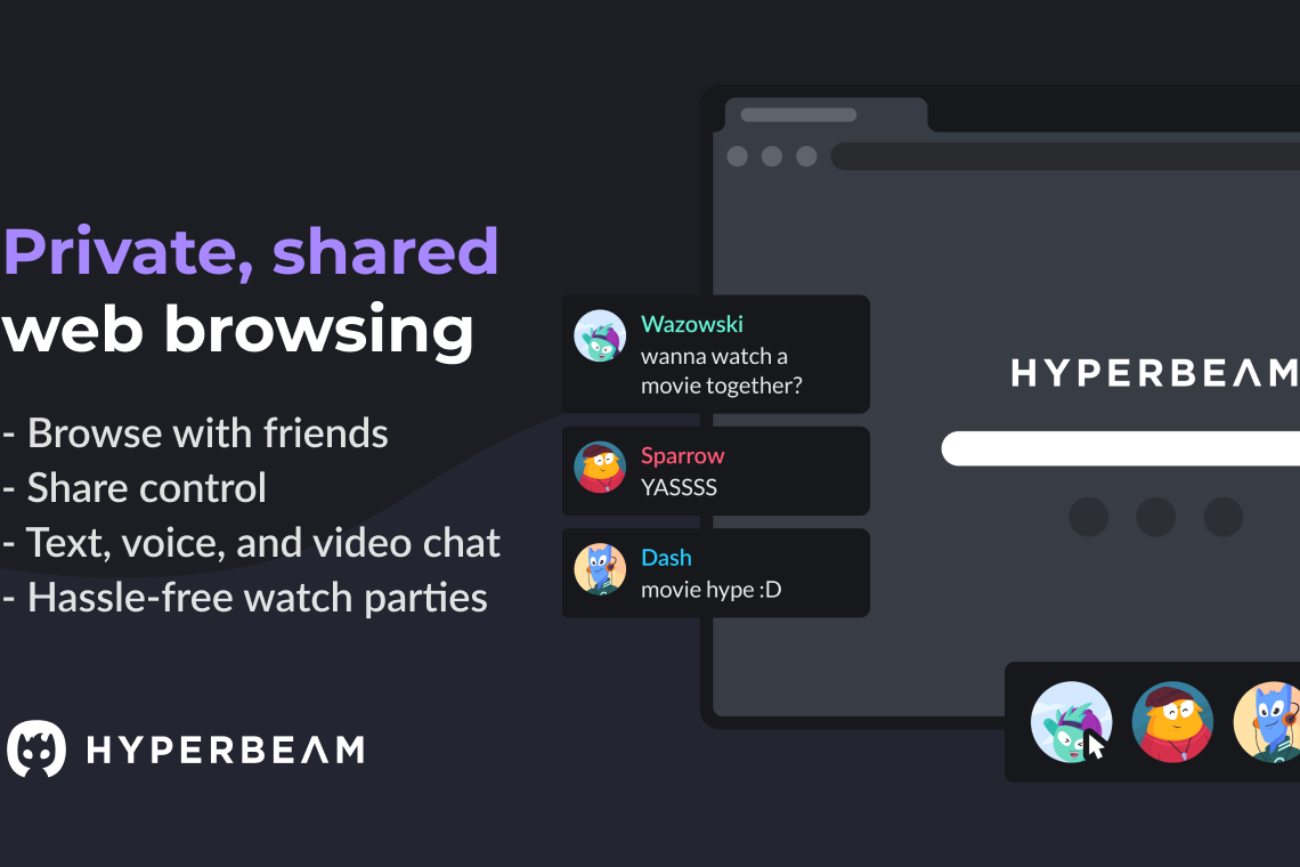
Hyperbeam is a watch party platform. You create a room, invite friends, and browse the web together in synchronized fashion. One person controls the browser (or you pass control back and forth), and everyone sees the same thing in real-time. Video chat, audio chat, text chat—all integrated. Free to use, with optional cosmetic upgrades.
The platform has 150,000+ monthly active users. Its community is dominated by:
- Long-distance couples watching movies together
- Friend groups coordinating watch parties for TV shows and anime
- Gaming communities watching tournaments and streams
- VRChat integration for in-game browser control
The product is genuinely good at what it does. Users describe it as the successor to Rabb.it (which shut down). The development team is responsive. The platform is stable. If you want to watch Netflix with a friend across the country and actually see their face and hear their reactions in real-time, Hyperbeam is a practical solution.
What It Means for Attribution
The critical detail: all browsing happens on Hyperbeam's servers. You don't stream the page from a remote browser and watch it on your screen (that would be Kasm or Neko). Instead, there's a synchronized virtual machine running on Hyperbeam's infrastructure, and everyone in the room sees it. Your local machine never makes a direct request to Netflix, YouTube, or any destination site. Hyperbeam does.
What this means practically:
- Your IP isn't tied to what you're watching. IT sees a connection to Hyperbeam. They don't see you accessing Netflix or YouTube directly.
- The browsing history isn't on your device. You're not caching pages, loading images, or leaving forensic traces on your local machine.
- VoIP/Chat happens on platform infrastructure. Voice and text conversations are routed through Hyperbeam's servers, not peer-to-peer from your location.
- No plugin footprint. Unlike browser extensions that might be detectable, Hyperbeam is just a website. You open a tab and use it. No installation, no extension, no registry entries.
From a workplace IT perspective: if you open Hyperbeam and spend 2 hours in a room with a coworker, IT logs show you both connected to hyperbeamapp.com. They don't know you were messaging each other. They don't know you were coordinating something. They see traffic to a social platform, not evidence of communication or shared activity.
Security and Limitations
Hyperbeam uses HTTPS for transport encryption (so network-level eavesdropping won't see content). But Hyperbeam the company can see everything happening in rooms. If you're using it to coordinate something that powerful people want to prevent, they could theoretically compel Hyperbeam to provide logs. Hyperbeam doesn't publish a no-logs policy. They will cooperate with law enforcement.
The platform also logs room activity and user connections. If someone is investigating you, Hyperbeam could provide metadata about who was in which rooms and when.
What Hyperbeam does provide: plausible deniability. If IT sees that you connected to a social platform during work hours, there's no hard evidence of what you were doing. You were watching a movie with a friend. You were playing games. You were hanging out. The actual activity is hidden.
- Watch parties with friends
- Long-distance relationship hangouts
- Anime/TV show communities
- Gaming tournament viewings
- VRChat social hangouts
- Work messaging without IT detection
- Coordinating with sources/contacts
- Conversations in monitored environments
- Avoiding workplace policy violations
- Safe coworker communication
- Polished, battle-tested platform
- Zero setup friction
- Hides activity from IT monitoring
- Integrated voice/video/chat
- Large active user base
- Company logs all room activity
- Will cooperate with law enforcement
- No transparent privacy policy
- Metadata tied to room participation
- Single point of failure (Hyperbeam Inc)
WatchParty — Open Source, Multi-Modal Flexibility
What It Actually Is
WatchParty is an open-source watch party platform (GitHub: howardchung/watchparty) that supports multiple watching methods: screenshare, virtual machine (Neko-based), or direct YouTube/streaming service support. It's built on Firebase for the backend and can be self-hosted.
The flexibility is the differentiator. You can:
- Use screenshare mode — You control your browser, others see your screen (traditional approach)
- Use VM mode — A virtual machine runs on the WatchParty backend, everyone sees the same synchronized browsing (Hyperbeam-like)
- Use direct integrations — Connect directly to YouTube, Netflix, or other services for native support
This flexibility makes WatchParty useful for different scenarios. If you're comfortable with screensharing (and don't need privacy from Hyperbeam), VM mode is unnecessary. If you need the server to handle everything, VM mode is there.
WatchParty is less polished than Hyperbeam. The community is smaller. But it's open source, which means you can inspect the code, understand what's happening, or self-host it entirely.
What It Means for Attribution
WatchParty's attribution properties depend on which mode you use:
- Your IP tied to destination sites
- Local cache/browsing history remains
- Lower anonymity from workplace IT
- Better privacy from WatchParty itself
- Your IP hidden from destination
- No local cache/history
- Higher anonymity from IT monitoring
- WatchParty sees all browsing activity
VM mode is where WatchParty gets interesting for privacy. Like Hyperbeam, the virtual machine is running on WatchParty's infrastructure. You're not making direct requests to YouTube or Netflix. WatchParty is, and you're viewing the synchronized result.
The advantage over Hyperbeam: WatchParty is open source. You can inspect the code. You can self-host it. You can run your own instance on a VPS you control, meaning no central authority logs your activity. WatchParty the organization won't have records of your room—only your self-hosted instance will.
Security and Limitations
WatchParty's main limitation is operational complexity. If you use the official hosted version, you're trusting WatchParty Inc. (which is minimal, but it's a trust model). If you self-host on your own VPS, you need the technical knowledge to run Node.js, manage Docker containers, and secure your own infrastructure.
The open-source nature is also a strength and weakness. Strength: no hidden backdoors, you can inspect everything. Weakness: smaller security audit footprint than commercial tools. It's audited by community members, not professional security firms.
Screenshare mode doesn't provide the same privacy benefits. Your IP is tied to whatever you're accessing. The only privacy gain is from WatchParty's perspective—they see you're using their platform but not specifically what you're watching (that happens directly between you and the destination).
- Open source code inspection
- Self-hosting option for control
- Multiple modes for flexibility
- No central company logs (if self-hosted)
- Community-driven development
- Higher technical barrier
- Smaller community/support
- Less polished UI/UX than Hyperbeam
- VPS cost if self-hosting
- Less mature than commercial alternatives
Kosmi — Discord Alternative With Built-In Games and Zero Account Friction
What It Actually Is
Kosmi is a free, web-based virtual hangout platform with shared browsing, screen sharing, file sharing, and customizable rooms. You can watch videos together, play games, or chat with integrated voice and video. It's explicitly positioned as a Discord alternative—not primarily a watch party tool, but a complete social space.
Unlike Hyperbeam (focused on watch parties) or WatchParty (focused on movies), Kosmi is designed as a multi-purpose hangout space. Built-in games include poker, cards, retro NES/SNES games, drawing games. You can customize your room to look like a living room, coffee shop, drive-in, or pub. Multiple friend groups can have different rooms.
The user experience is intentionally frictionless. No download. No account required (you can use throwaway email or none at all). Share a link, people join. That's it.
What It Means for Attribution
Kosmi's architecture is distributed—shared browsing happens on Kosmi's servers, screen sharing is brokered through their infrastructure, games run on their platform. Like Hyperbeam and WatchParty VM mode, your activity is routed through Kosmi rather than directly from your machine.
But Kosmi adds a layer that the others don't: no account requirement. You can use it completely anonymously. No email, no username, no identity tether. Just create a room, share the link, and you have a private chat space with integrated voice, video, and messaging.
What this means for attribution:
- No identity trail to Kosmi. You're not logging in. There's no account linking you to your activity.
- Private rooms isolated from discovery. Your room is only accessible to people with the direct link. It doesn't appear in a lobby or directory (unless you explicitly choose to list it).
- Integrated VoIP/Chat. No separate messaging app needed. Conversations happen within Kosmi's infrastructure.
- Minimal metadata. Kosmi has less information to log about who you are because you're not registered.
- Plausible deniability on use. You were hanging out with friends in a room. You were playing games. You were watching a video together. IT can see you connected to Kosmi, but can't see the specific activity or who you were with.
Security and Limitations
Kosmi's limitations are real. Like Hyperbeam, the company can see everything happening in rooms. Encrypted transport (HTTPS) protects against network-level eavesdropping, but Kosmi Inc. can see content. If someone is investigating you, Kosmi could provide logs of room activity if subpoenaed.
The no-account model is double-edged. Advantage: no identity tied to activity. Disadvantage: Kosmi doesn't publish what happens to IP logs or room activity after rooms close. How long do they keep records? Do they log IPs? Do they keep analytics? The privacy policy is less transparent than competitors.
Android app stability is reportedly weaker than desktop version (users report disconnections and freezing). Desktop/web experience is solid.
- Long-distance friend hangouts
- Game nights with built-in games
- Watch parties (Netflix, YouTube)
- Remote team social events
- Study groups with games/breaks
- Anonymous coordination meetings
- Work/workplace confidential chats
- No-account private communication
- Attribution-free messaging space
- Isolated conversation rooms
- Zero account/identity requirement
- Multi-purpose (games, watch, chat)
- Best plausible deniability
- Fully free, no paywalls
- Ambiguous intent makes it normal
- Android app stability issues
- Unclear data retention policies
- Company sees all room activity
- Less transparent than competitors
- Room links discoverable in history
Quick Comparison: Which One?
Hyperbeam: Best if you want synchronized watch parties with integrated chat. Polished, well-maintained, no setup required. Trade-off: centralized company logs activity.
WatchParty: Best if you want open-source transparency or plan to self-host on your own VPS. More technical, more control. Trade-off: smaller community, less polished UI.
Kosmi: Best if you need multiple uses (games, watch parties, hangouts) and want zero account friction. Most plausible deniability. Trade-off: less transparent about data practices.
All three provide real privacy from workplace IT monitoring. None provide privacy from the company itself. Choose based on your threat model and your use case. Use the one that feels most natural for your actual activity, so the privacy becomes incidental rather than suspicious.
